ZEN.COM - Mobile Wallet2.13.1
Publisher Description



A digital wallet for shopping with instant cashback and contactless payments.
ZEN.COM is an all-in-one financial app for paying and saving worldwide. Pay in multiple currencies, exchange currency at favorable rates, and earn cashback rewards on everyday purchases. With your ZEN card, you can shop online, pay contactless, send money and manage spending in one simple app. Free from hidden currency converter fees on your travel money, and no paperwork – just a clearer way to manage your money.
Shop and pay with confidence
ZEN.COM makes shopping and payments easy and reliable. Pay online or in store, track expenses in real time and keep your personal finances under control. Whether you’re buying online, paying subscriptions or sending money abroad, ZEN.COM fits naturally into everyday life.
Cashback deals that help you save
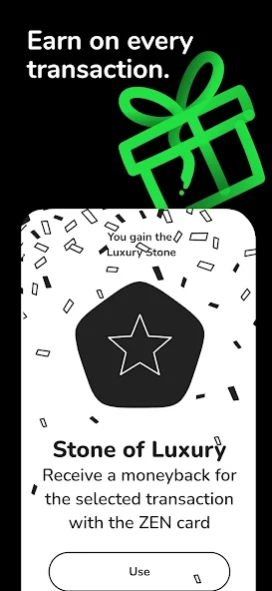
ZEN.COM offers you Instant Cashback on online shopping at hundreds of popular stores. Cashback rewards work with well-known brands such as AliExpress and Temu, along with many other shops. Choose the best and latest deals, save money with special instant cashback offers and get real money back – no points, no waiting. Saving on everyday online shopping becomes effortless.
A digital wallet with virtual and physical debit cards
ZEN.COM gives you instant access to a secure virtual card wallet for online shopping, apps and subscriptions. You can also order a physical debit card directly in the app. Use Apple Pay, Google Pay, Garmin Pay or Xiaomi Pay to make fast, contactless, secure payments wherever you shop.
Multi-currency account for everyday use
Hold and manage GBP, EUR, USD and many other currencies in a single digital wallet. Calculate and exchange foreign currency and digital money on the app at competitive rates with no hidden fees, and pay confidently at home or abroad. The ZEN.COM app is ideal for online shopping, exchanging travel money and international spending.
Send money and manage expenses
The ZEN.COM app supports fast local payment methods and international transfers. You can also send money instantly and for free to other ZEN users with ZEN Buddies, using just a phone number. Track your personal finances in one digital wallet, with all transactions and spending visible in one place.
Secure payments and purchase protection
Shopping with your ZEN card is protected. Transactions are monitored continuously, and ZEN Care offers purchase protection if something goes wrong with your order. Your money, payments and shopping are protected every step of the way.
How people in the UK use ZEN.COM
• Emma shops online to find the latest hot deals at the best prices, and uses instant cashback rewards to save money on everyday purchases.
• Fleur pays her subscriptions and does her online shopping using the ZEN virtual card.
• James sends secure payments, manages his personal finances and tracks monthly expenses from one mobile wallet.
Everything you need in one app
ZEN.COM brings together instant cashback offers, online shopping deals, secure payments, digital money transfers and expense control in one digital wallet. It’s built to help you save, spend, track and stay in control of your personal finances.
Download ZEN.COM and manage your money smarter with a modern digital card wallet.
About ZEN.COM - Mobile Wallet
The company that develops ZEN.COM - Mobile Wallet is ZEN.COM. The latest version released by its developer is 2.13.1.
To install ZEN.COM - Mobile Wallet on your Android device, just click the green Continue To App button above to start the installation process. The app is listed on our website since 2026-10-07 and was downloaded 8 times. We have already checked if the download link is safe, however for your own protection we recommend that you scan the downloaded app with your antivirus. Your antivirus may detect the ZEN.COM - Mobile Wallet as malware as malware if the download link to com.zen.application is broken.
How to install ZEN.COM - Mobile Wallet on your Android device:
- Click on the Continue To App button on our website. This will redirect you to Google Play.
- Once the ZEN.COM - Mobile Wallet is shown in the Google Play listing of your Android device, you can start its download and installation. Tap on the Install button located below the search bar and to the right of the app icon.
- A pop-up window with the permissions required by ZEN.COM - Mobile Wallet will be shown. Click on Accept to continue the process.
- ZEN.COM - Mobile Wallet will be downloaded onto your device, displaying a progress. Once the download completes, the installation will start and you'll get a notification after the installation is finished.
Program Details
System requirements
Download information
Pricing
Version History
version 2.13.1
posted on 2026-10-07
The new version of the ZEN.COM app is ready! We are working on new features and improving existing ones. Managing your finances with the ZEN Card? Rate us in the store!
version 2.9.1
posted on 2026-08-12
- Invite & Earn Program
You can now invite businesses to ZEN.COM and earn commission when they join.
Find the new "Invite & Earn" section in My Account, then generate your unique referral link or QR code and share it with other businesses.
Learn more at zen.com/referral
version 2.8.2
posted on 2026-08-10
- A simpler ZEN Buddies transfer flow
We redesigned ZEN Buddies transfers to phone number with new screens. The flow now feels more consistent with the way you send other transfers in the app.
- Better account statements
You can now generate statements for monthly, yearly, or custom periods.
version 2.5.2
posted on 2026-07-03
- A simpler way to view your cards
We simplified the card view by removing extra animations and expandable states. Your cards now stay pinned at the top for quicker access, with a subtle one-time animation when you open the screen for the first time.
- Faster and more reliable app experience
We refined existing components and optimized recent updates to improve performance and stability across the app. Everything should now feel smoother and quicker.
version 2.4.0
posted on 2026-06-25
Clearer view of offline card payments
Offline ZEN Card payments (e.g., during flights) now stand out in your transaction history with a dedicated icon in the list and transaction details. It’s easier to track what happened and understand when a payment was processed offline.
version 2.3.3
posted on 2026-06-08
- Currency exchange, refreshed in real time
The exchange flow now updates rates every second. We also redesigned the exchange screen so it’s easier to check the exact rate before you confirm.
- A smoother Reward Zone experience
We made small updates to the interface and copy to make Reward Zone easier to navigate and understand.
version 2.2.0
posted on 2026-05-08
- New transfer flow
A redesigned transfer experience that gives you more control and clarity. Add a beneficiary without sending money, review key details on a clearer summary screen, and send money from accounts in different currencies.
- Improved top-up list
Finding the right top-up method is now simpler. A cleaner layout and new filters (like free, cash-based, or instant) help you quickly choose what works best.
version 1.141.1
posted on 2026-04-10
If your login code doesn’t arrive by SMS, there’s now another option. In select countries, you can receive your one-time password via WhatsApp.
To make sure it works smoothly, check that your phone number is up to date in "My details" section of the app.
version 1.140.5
posted on 2026-03-27
We’ve improved the list of top-up options. You can now see details like fees or available currencies next to each method before choosing it.
version 1.139.1
posted on 2026-03-02
We've added a new feature to Quests - you can now tap a Task to see tips along the way. Instant Cashback also has a refreshed look, with sorting to help you find the best offers faster.
